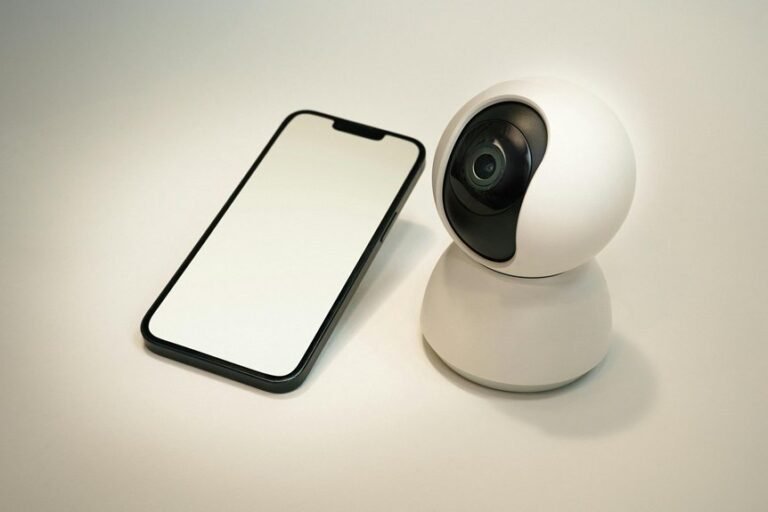
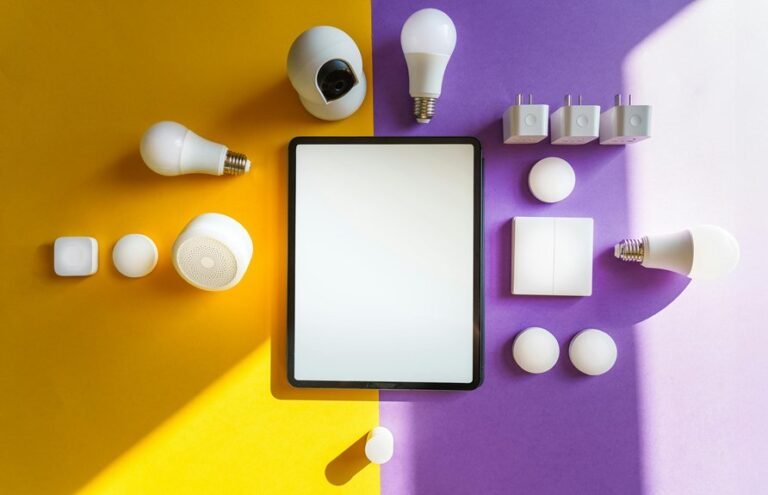
About 60% of homeowners say motion sensors cut night disturbances, so you’ll want a setup that actually works for your sleep. You can place sensors to cover paths and bed exits while avoiding windows and vents, tune sensitivity low, and layer alerts so a soft light or phone haptic comes first before loud alarms. Choose PIR, microwave, radar, or camera options based on each spot, pick battery or wired power and Wi‑Fi or mesh links, secure mounts to stop drift, and check logs and firmware often to reduce false triggers — here’s how to make it reliable without waking the whole house.
Quick Setup: Install and Test Motion Detection in 5 Steps
Start via gathering your tools and taking a deep breath; installing a motion detection system doesn’t have to be stressful. You’ll feel supported as you follow five clear steps that welcome others into the process.
To begin, unpack devices and read quick calibration notes so sensors learn their range. Next, plan placement markers on walls and doorways to show where to mount each unit.
Then, mount sensors at suggested heights and check angles with a helper so coverage feels right. After that, power the system and run a guided trial to confirm alerts reach your phone or base.
Lastly, walk through a real night routine to fine tune sensitivity and timing. You’ll build confidence and shared peace of mind.
How Motion Detection Reduces Night Disturbances
After you’ve set up sensors and trialed alerts, motion detection quietly becomes a guardian of nighttime calm. You’ll notice fewer intrusive checks, so patient comfort improves and sleep stays deeper. You’ll wake only for real need, not routine, which lowers caregiver burden and eases your mind. The system senses bed exits, movement patterns, and odd wandering, then nudges with light or alert so you can respond with warmth.
| Feature | Benefit | Typical Use |
|---|---|---|
| Bed exit alerts | Prevent falls | Night monitoring |
| Movement trends | Track sleep quality | Care planning |
| Gentle cues | Redirect wandering | In-home support |
| Reduced checks | Less stress | Shift work |
| Data logs | Inform care | Family updates |
Types of Motion Sensors: PIR, Microwave, Radar, Camera
You’ll find that passive infrared or PIR sensors are simple, low-power options that spot body heat and work well for detecting bedside movement.
Microwave and radar sensors use radio waves to sense motion through small gestures and can cover larger areas, so you’ll weigh sensitivity against false alarms.
Camera-based detection adds visual detail and background, letting you confirm events but raising more privacy and data handling questions.
PIR Sensor Basics
Motion sensors let you know once someone moves, and passive infrared or PIR sensors are the most common choice in homes and care settings because they sense body heat changes rather than sound or touch.
You’ll feel safer with PIRs because they detect warmth patterns and ignore small background changes.
Proper PIR calibration helps you avoid false alerts and keeps the system friendly for everyone.
- Installation: place sensors to cover pathways and beds without pointing at windows or heaters.
- Sensitivity: adjust levels so family and staff aren’t disturbed, while visitors and exits still trigger alerts.
- Thermal immunity: choose models that resist pets and stray heat sources to reduce nightly interruptions.
You’ll find PIRs welcoming and reliable whenever set with care and community in mind.
Microwave Versus Radar
You’ve already seen how PIR sensors use body heat to catch movement and stay quiet around pets and heaters, and now you’ll learn how microwave and radar sensors compare so you can pick what fits your home or care setting.
You’ll find microwave sensors send continuous radio waves that detect motion through Doppler shifts, so they cover wide areas and work in low light. Radar units are similar but often more precise and adjustable.
You’ll want to weigh sensitivity against false alarms, because extra triggers can harm sleep and have health impacts for residents and caregivers.
Also check regulatory standards for safe emissions and placement. Together these options give you choices that balance safety, privacy, and calm nights.
Camera-Based Detection
Consider cameras as motion sensors that see instead of just sense, and they give you a clear image of what’s happening at night so you can make caring choices with confidence.
You’ll notice night vision that helps you watch a loved one without turning on lights. Edge processing keeps most footage local, easing privacy implications while speeding responses. Feature detection picks out people, not shadows, so you get fewer false alerts and more calm.
- Choose cameras with edge processing for quick, private alerts.
- Look for strong night vision and reliable feature detection settings.
- Discuss privacy implications openly with family so everyone feels safe.
You’ll feel supported being aware technology protects dignity and reduces anxious checks.
Which Sensor Fits Each Spot: Door, Driveway, Yard?
Pick the right sensor for each spot and you’ll feel safer without adding noise or fuss.
For doors choose a contact or short-range motion unit near the frame to catch quick entries and support access control, and plan sensor placement so alerts stay local and respectful.
For driveway use a long-range passive infrared or microwave sensor aimed along the drive to detect cars prematurely without false triggers from trees.
For yard pick wide-angle PIRs and beam sensors to cover play areas and paths, placing them to avoid streetlight glare.
You’ll want overlap between sensors so one alert backs up another.
Place sensors where neighbors and family feel included in safety.
Adjust heights, angles, and sensitivity gently so your home stays calm and connected.
Motion Sensor Power & Connectivity Options (Battery, Wired, Wi‑Fi, Mesh)
As you select a motion sensor, consider battery versus wired power because it affects where you can place the device and how much maintenance you’ll need.
You’ll also want to weigh Wi‑Fi reliability in your home and whether a mesh network could give steadier coverage for multiple sensors.
These choices shape how responsive and worry-free your system will feel, so evaluate placement, signal strength, and ease of upkeep together.
Battery Versus Wired
Deciding between battery and wired motion sensors feels personal because it affects how safe and comfortable your home or care setting will be at night. You want reliable alerts and a sense of belonging to a calm household.
Battery models offer flexible placement and easy setup, and you’ll watch battery lifespan to plan swaps. Wired models show wired durability and fewer interruptions, and they fit places where steady power matters.
- Battery: easy to move, good for renters, monitor battery lifespan, replace on schedule.
- Wired: steady power, less maintenance, enjoy wired durability for high traffic areas.
- Hybrid: use battery where you need mobility, wired where you need constant coverage.
These choices work together to keep everyone reassured.
Wi‑Fi Reliability Considerations
Into your home or care setting, Wi‑Fi reliability often decides how well motion sensors keep everyone safe and sleeping soundly. You want systems that feel like part of the household, so plan for Wi‑Fi resilience from the start.
Check bandwidth allocation so cameras and alerts don’t crowd other devices. Prioritize signal redundancy by placing routers and extenders where walls and appliances cause drops. Consider failover options that switch to cellular or local alarm modes should the network fail. You’ll feel calmer assured alerts still reach you during outages.
Trial connections at night when noise and interference change. Invite family or staff into setup decisions so everyone trusts the system and sleeps with fewer disruptions.
Mesh Network Benefits
Mesh networking brings steady, house-wide coverage that keeps motion sensors and cameras talking even as walls, appliances, or crowded Wi‑Fi channels try to get in the way. You’ll feel part of a system that works together. Mesh resilience means each device helps relay signals, so a single weak link won’t cut you off. That adds calm and trust at night.
- Nodes share traffic to avoid single points of failure, offering interference mitigation whenever signals collide.
- Devices self-heal, rerouting through neighbors so alerts still reach you.
- You can mix battery, wired, and Wi‑Fi nodes to balance uptime and convenience.
This setup feels communal, reliable, and designed to keep your household safe and connected.
Best Sensor Placement to Avoid Nuisance Triggers
Place sensors where they catch real events but ignore harmless motion, and you’ll cut down on annoying false alarms and sleepless nights. You want a placement strategy that starts with nuisance mapping.
Walk the space at night and mark spots where pets, curtains, or streetlight shadows move. Then mount sensors to face main walk paths and bed exits, not windows or tree lines.
You’ll angle sensors down to focus on human height and avoid ceiling reflections. Use multiple lower-sensitivity sensors rather than one overactive unit.
Coordinate placement so zones overlap slightly for reassurance but not too much to trigger together. Invite household members to try routes and give feedback. That shared input builds trust and helps you refine placement with care and calm.
Set Sensitivity and Detection Zones to Cut False Alarms
You already picked smart spots for sensors, and now you’ll tune how they react so they only shout whenever it matters. You want a calm home and devices that understand what belongs there. Start with simple adjustment protocols that match routine activity and sleep patterns. Then set adaptive zoning to keep alerts focused on real movement, not small pets or curtains. Use zones that link to times and behaviors so alerts feel personal and useful.
- Lower sensitivity near windows and vents, raise it on door paths.
- Create motion corridors that ignore bed area but watch exit routes.
- Trial zones for several nights, tweak sensitivity after each run.
You’ll feel safer whenever the system knows your household rhythm.
Soft Lights vs. Floodlights: When to Trigger Each
Often you’ll want lights that feel gentle and guiding instead of loud and startling, because the right glow can keep people calm and safe at night. You choose soft lights for hallways, bathrooms, and bedside paths. They give an ambient glow that helps you orient without waking others.
Use floodlights whenever you need clear visibility and quick intervention, like a doorway exit or an unfamiliar intruder. Set motion sensors to start soft lights first, then escalate to floodlights only provided movement continues or enters risk zones. You can tune delay timers and sensitivity so the house feels like a caring companion.
This layered approach turns lighting into a safety beacon that respects sleep and supports shared habitation with warmth.
Alert Choices: Silent Phone Alerts, Chimes, and Recordings
You’ll want to pick alert types that keep loved ones safe without waking the whole house. Quiet phone notifications can nudge you to check a room, gentle chimes can soothe and redirect a restless person, and automatic recordings let you review what happened later when you need more background.
Consider who you’re protecting and what’ll calm them most, then match the alert style to that need.
Silent Phone Alerts
Whenever a phone buzzes on a night shift or beside a sleeping person, silent phone alerts can give you calm control without waking everyone.
You belong to a team that cares for rest and safety.
Use silent notifications and discreet vibrations so you stay informed without disruption.
You’ll feel less guilty about checking alerts and more confident in decisions you make at night.
- Choose vibration patterns that match urgency so you act fast whenever needed.
- Pair phone alerts with wearable haptics so staff share responsibility and trust.
- Set permissioned group alerts so only key caregivers respond to movements.
These steps link technology and teamwork.
They keep sleep protected while keeping you close and ready.
Play Soothing Chimes
You’ve already learned how silent phone alerts keep night teams quiet and connected, and now you can add gentle chimes and short recordings to the mix to protect sleep while guiding action.
You’ll pick chimes with soothing melodies and gentle tones that signal without startling. Choose brief sounds that rise softly and fade, so coworkers know something needs attention but can stay calm. You can match chime types to urgency levels, using different melodies for low and higher priority events.
Whenever you add short voice cues, keep them warm and direct, so everyone feels included and trusts the system. Trial settings together, adjust volume and melody, and agree on meanings. That way you build a shared, calm response that protects sleep and teamwork.
Auto Record On Trigger
Start via choosing at what point the system should start recording, because that decision shapes how useful and respectful it will be. You want recordings whenever they truly matter, not every tiny motion. Pick sensitivity that fits your home and your need for privacy. Automatic tagging and event summaries help you find moments fast and feel in control.
- Set triggers according to location and time so nights stay quiet and crucial events get captured.
- Choose alert type like silent phone alerts, chimes, or full recordings to match who you’re caring for.
- Enable short clips with tags and summaries to reduce review time and keep dignity intact.
These settings connect you to your household, reduce worry, and let you rest aware you’ll be alerted with care.
Integrating Motion Sensors With Home Hubs and Cameras
Should you connect motion sensors with your home hub and cameras, you get a simple but powerful way to watch over people and spaces at night without constant checking. You’ll feel part of a caring circle whenever devices talk to each other through local integration and edge processing, keeping data close and responses fast. You can set cameras to record only on real movement and let lights guide a wandering family member back to bed. The hub sends friendly alerts so you’re not startled at night and supports routines that comfort everyone.
| Feature | Benefit |
|---|---|
| Local integration | Faster, private responses |
| Edge processing | Less cloud delay, more control |
| Automated cues | Gentle redirection for safety |
Privacy and Legal Limits for Home Motion Sensors
Once you set up motion sensors and cameras at home, it’s normal to worry about who sees the data and what rules apply, so let’s walk through the key privacy and legal limits calmly and clearly.
You deserve safety and respect, and you can shape settings to protect both.
Know your local laws on recording and where cameras can point. Check consent thresholds with guests and household members before recording shared spaces.
Set clear Data retention rules so footage is stored only as long as needed. Use encrypted cloud or local storage and strong passwords. Share access only with trusted people.
Ask providers about audits and breach notifications. Stay involved and revisit settings whenever people or needs change.
Budget Guide: Affordable vs. Premium Disturbance‑Cutting Systems
You want a system that cuts nighttime disturbances without emptying your wallet, and you can choose a setup that fits your needs and comfort level. You deserve options that feel like they were picked for your household. Compare budget tiers and warranty comparisons to see value over time. Affordable kits use basic motion sensors and simple app alerts. Premium systems add smart lighting, bed exit sensors, and longer warranties. Consider who sleeps there and what will bring calm.
| Tier | Features | Best for |
|---|---|---|
| Budget | Basic sensors, short warranty | Renters, simple rooms |
| Mid | More sensors, 1 year warranty | Small families, shared spaces |
| Premium | Smart bulbs, bed sensors, extended warranty | Caregiving, high needs |
Common Installation Mistakes That Cause Night False Triggers
You’ll notice most night false triggers come from simple setup issues that you can fix without stress. Start checking the sensor angle so it’s pointed at the walkway and not at moving curtains or heating vents, and then lower overly sensitive settings so tiny motions or background noise don’t become alarms.
Make small, calm adjustments and trial overnight to find the balance that keeps people safe while letting everyone sleep.
Improper Sensor Angle
At the moment a motion sensor sits at the wrong angle, it wakes you up for things that aren’t threatening and leaves real risks unseen, and that can drain your energy and peace of mind during night shifts or at home. You want your device to belong to the household and work with you, not against you.
Improper mounting creates sensor occlusion and angle degradation over time, so small shifts matter. Check mounts, clear obstructions, and aim sensors toward likely paths, not windows or heat sources. You’ll feel calmer whenever lights only come on for real movement and whenever genuine exits get noticed.
- Recheck angles after cleaning or repairs.
- Use secure brackets to prevent drift.
- Trial at night from different spots.
Overly Sensitive Settings
After you’ve checked sensor angles and mounting, the next common problem is settings that are just too sensitive for real life. You want your system to protect the night, not nag you.
If detectors stay overly sensitive, they catch tiny movements, pets, and passing shadows. That creates alarm fatigue and makes everyone ignore real alerts.
You’ll benefit from user training that shows how to lower sensitivity, set schedules, and pick detection zones. Try adaptive thresholds so the system learns typical night patterns and reduces false triggers over hours.
Adjust gradually and test at sleep times. Invite household members to share what wakes them. That teamwork builds trust, keeps nights calm, and makes the system work for you.
Troubleshooting Checklist for Persistent False Alarms
When false alarms keep going off at night, it can feel exhausting and make you doubt the system you rely on, so let’s walk through a calm, practical checklist you can use right away. You deserve a peaceful night and a system that feels like it belongs in your home.
Start with sensor recalibration and environmental mapping so the detector learns real activity patterns and ignores routine house noises. Check placement and field of view, then look for drafts, pets, or reflective surfaces that confuse sensors.
- Assess after recalibration and record repeat triggers.
- Review logs for time patterns and adjust sensitivity.
- Replace batteries and update firmware, then reassess.
Should alarms persist, reach out and ask for guided support.
Frequently Asked Questions
How Do Motion Systems Affect Sleep Quality in Noise-Polluted Homes?
Motion systems reduce sleep disruption in noise-polluted homes by enabling targeted interventions and noise-masking strategies; they help users feel supported by caregivers and technology that together decrease awakenings and lower anxiety.
Can Sensors Reliably Detect Dementia-Related Nighttime Wandering Patterns?
Yes. Sensors can detect dementia-related nighttime wandering by combining data from motion, door, and bed sensors to recognize specific movement patterns and repeated exits. These systems can trigger context-aware redirection prompts, lower fall and elopement risk, and provide caregivers with timely alerts and clear activity summaries for safer, more informed supervision.
Will Real-Time In-Bed Monitoring Increase Caregiver or Nurse Workload?
More than half of residents wander at night; real-time in-bed monitoring does not increase long-term workload. Staff workflows are adjusted, alerts are prioritized so caregivers respond only when needed, and teams share responsibilities to cut down on unnecessary room checks.
How Do Motion Systems Interact With Smart-Home Diversion Tools (Lights/Speakers)?
They work together: when motion is detected, lights gradually brighten to guide movement and speakers play brief, calm voice prompts to redirect attention. These targeted cues help caregivers and residents feel safer and more supported overnight.
Can Motion Detection Data Be Used in Clinical Assessments or Legal Evidence?
Motion data can inform clinical evaluations and serve as legal evidence when collected and handled under validated protocols, with documented chain of custody and consensus standards so practitioners and courts accept the results.