In large homes, WiFi connectivity can feel like a constant battle. You might notice that certain rooms have weak signals or dead zones, making it tough to stay connected. Reliable internet access is crucial for everything from streaming your favorite shows to working from home. Thankfully, solutions like WiFi Routers and mesh systems can help you improve your connection. They ensure that every corner of your home enjoys strong, uninterrupted WiFi, making your online experiences seamless and enjoyable.
Key Takeaways
Place your router in a central location to improve WiFi coverage and reduce dead zones.
Elevate your router to minimize obstructions and enhance signal strength throughout your home.
Identify dead zones using a WiFi device or heatmap tool to target areas needing better coverage.
Consider using mesh systems for larger homes to ensure strong, seamless connectivity in every room.
Regularly update your router’s firmware to boost performance and enhance security.
Router Placement
Optimal Locations
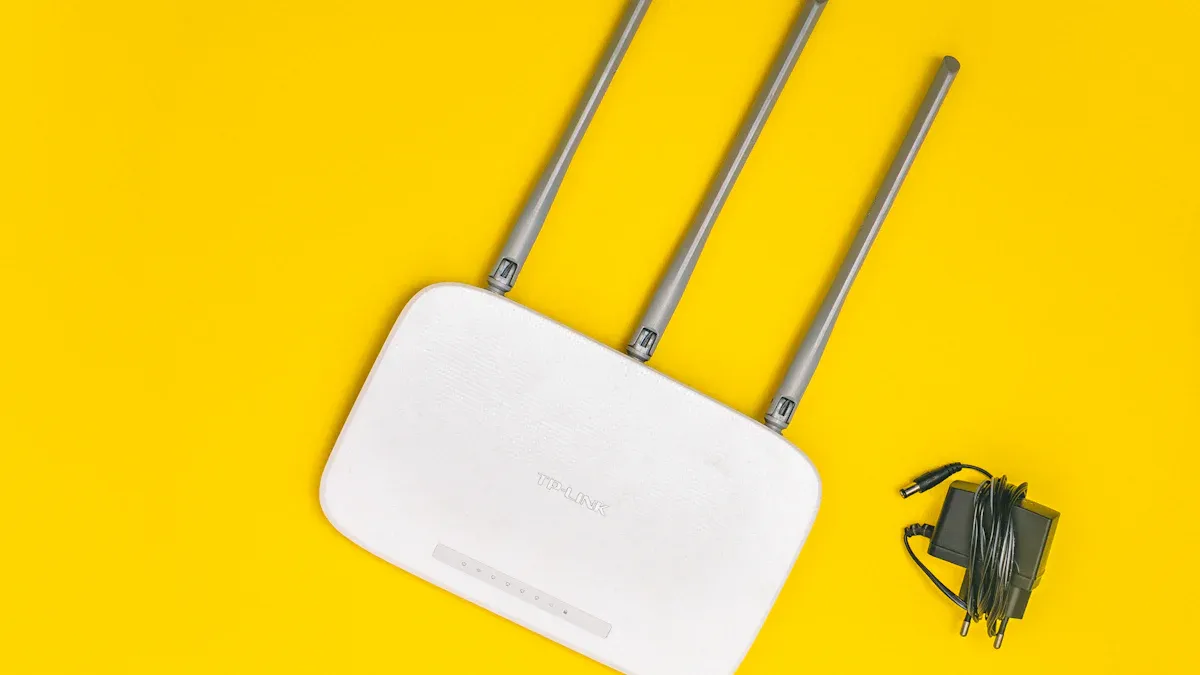
Finding the right spot for your router can make a huge difference in your WiFi experience. Here are some tips to help you choose the best location:
Central Positioning: Place your router in a central area of your home. This helps distribute the WiFi signal evenly, reducing dead zones.
Avoid Enclosed Spaces: Keep your router out of cabinets or closets. These enclosed spaces can limit signal range and block transmissions, leading to up to 50% signal loss.
Stay Away from Windows: If you place your router near windows, signals can escape through the glass. This can reduce coverage by 20-30%.
Consider the Layout: Think about the layout of your home. In a two-story house, positioning the router centrally on the upper floor can help reach all areas more effectively.
Experts recommend experimenting with different placements. Consult your router’s user manual for specific guidelines, and adjust the antennas according to the manufacturer’s recommendations.
Elevation and Distance
The height at which you place your router also plays a crucial role in signal strength. Here’s why elevation matters:
Minimize Obstructions: Elevating your router can enhance range and coverage by reducing nearby obstructions. For example, placing it on a shelf or table is generally more effective than putting it on the floor or behind furniture.
Utilize Antenna Capabilities: Positioning the router at a height allows for better utilization of the omnidirectional antenna’s capabilities. This means the signal can travel more freely through rooms.
Distance Matters: WiFi signals can be blocked or reflected by dense materials like concrete and metal. Keeping your router away from these materials can help maintain a strong connection.
In multi-story homes, you might need additional range-extending devices to achieve adequate coverage. Remember, the goal is to ensure that every corner of your home enjoys reliable WiFi access.
By following these tips, you can significantly improve your WiFi connectivity and enjoy a seamless online experience throughout your home.
Avoiding Dead Zones
Identifying Dead Zones
To enjoy a strong WiFi signal throughout your home, you first need to identify any dead zones. Here are some effective methods to help you pinpoint these areas:
Walk around your home with a WiFi device, like your smartphone or laptop. Notice where the signal is strong and where it drops off.
Use a heatmap tool to visualize WiFi signal strength across different rooms. This can give you a clear picture of where the coverage is lacking.
Track complaints from family members about weak signals. Their feedback can guide you to the most problematic areas.
Consider using software like InSSIDer to analyze your WiFi signal strength in detail. This tool can provide hard data on where your signal struggles.
If you’re still unsure, hiring a specialist can help you map out your network coverage accurately.
Using Extenders
Once you’ve identified the dead zones, you can take action to eliminate them. WiFi extenders and powerline adapters are two popular solutions. Here’s a quick comparison of their strengths and weaknesses:
Technology | Strengths | Weaknesses |
|---|---|---|
WiFi Extenders | Quick fix for coverage issues | Speeds decrease due to signal rebroadcasting |
Powerline Adapters | Maintains consistent speeds using wiring | Performance depends on electrical layout |
WiFi extenders can boost your coverage significantly, but they may reduce your overall speed. They work by repeating the signal from your router, which can lead to lag during activities like streaming or gaming. On the other hand, powerline adapters use your home’s electrical wiring to maintain a more stable connection. This often results in better performance, especially in larger homes.
When using extenders, remember to place them strategically. Set your router to a fixed channel to prevent signal loss, and avoid using extenders in homes with lath and plaster walls, as these can severely limit range. For the best results, consider pairing an Ethernet over Powerline kit with your extender.
By taking these steps, you can effectively eliminate dead zones and enjoy a strong WiFi signal throughout your home.
Wi-Fi Mesh Network vs. Traditional Routers
How Mesh Systems Work
Wi-Fi mesh systems operate differently than traditional routers. Instead of relying on a single router to cover your entire home, a mesh network uses multiple interconnected nodes. Here’s how it works:
Each node acts like a mini-router, communicating with the main router and other nodes.
The main router sends signals to these satellite nodes, which extend the coverage throughout your home.
If you move from one room to another, your device automatically connects to the nearest node with the strongest signal. This seamless transition keeps your connection stable as you roam.
This setup is particularly beneficial in larger homes where traditional routers often struggle to provide consistent coverage. With a mesh network, you can enjoy strong Wi-Fi in every corner of your house.
Advantages of Mesh Networks
Mesh networks offer several advantages over traditional routers, especially for large homes. Here are some key benefits:
Advantage | Description |
|---|---|
Prevents Downtime | Devices automatically switch to a stronger node, ensuring continuous connectivity. |
Easy to Install | Quick setup with minimal effort, often using a mobile app. |
Scales Well | Coverage can be easily adjusted by moving nodes or adding new ones. |
Multi-Device Handling | Devices connect to the nearest node, optimizing performance and reducing latency. |
You’ll find that mesh networks provide broader coverage compared to traditional routers. They can be extended with additional nodes, making them highly scalable. If you ever need more coverage, just add another node!
Moreover, mesh systems excel in maintaining reliable connectivity. They feature excellent backhaul communication, which allows for strong connections even at greater distances. This means you won’t have to worry about losing your connection when you move to a different part of your home.
In contrast, traditional routers often struggle with multiple devices. They can drop connections when you move away from the router, leading to frustrating interruptions. With a mesh network, you can enjoy seamless transitions between nodes, keeping your online activities smooth and uninterrupted.
While the initial cost of a home mesh Wi-Fi network may start around $250, the value it provides in larger spaces often outweighs the expense. You’ll find that investing in a mesh system can lead to a more enjoyable and reliable internet experience.
Enhancing WiFi Coverage

Firmware Updates
Keeping your router’s firmware up to date is crucial for maintaining optimal WiFi performance. Regular updates can enhance your network’s speed and security. Here are some key points to consider:
Check for Updates: Regularly check for firmware updates to improve your network performance. Some older routers may not notify you automatically, so manual checks are essential.
Security Enhancements: Many routers lack basic security protections. Firmware updates often include critical patches that protect against hackers and malware. For instance, Netgear emphasizes the importance of these updates to enhance security features.
Performance Boosts: Newer firmware can lead to better multi-device support and lower latency. This means smoother streaming and gaming experiences for you and your family.
By staying on top of firmware updates, you can significantly improve your WiFi coverage and keep your connection secure.
Frequency Bands
Choosing the right frequency band can make a big difference in your WiFi experience, especially in large homes. Here’s a quick breakdown of the two main bands:
Frequency Band | Range | Speed | Wall Penetration |
|---|---|---|---|
2.4 GHz | Longer range, better coverage | Up to 100 Mbps | Good penetration through walls |
5 GHz | Shorter range, less coverage | Up to 1 Gbps | Poor penetration through walls |
The 2.4 GHz band offers better coverage, making it ideal for devices spread throughout your home. However, it has lower speeds compared to the 5 GHz band, which is perfect for high-bandwidth activities like streaming and gaming.
In environments with multiple floors or thick walls, you might want to use a combination of both bands. This way, you can enjoy the benefits of extended wireless coverage while also taking advantage of higher speeds when needed.
By understanding these frequency bands, you can optimize your WiFi setup for better performance and coverage throughout your home.
In large homes, mesh systems can transform your WiFi experience. They eliminate dead zones, ensuring you stay connected in every corner. Here are some key benefits of using mesh systems:
Benefit Description |
|---|
Mesh WiFi networks automatically configure themselves, eliminating manual setup. |
They can perform up to ten times faster than traditional routers, reducing congestion. |
Mesh systems are reliable, with nearby satellites taking over if one signal weakens. |
They provide the fastest internet speeds and are user-friendly for home/business use. |
Mesh systems can fully utilize high-speed internet plans (1 Gig or faster). |
They offer advanced cybersecurity features and parental controls. |
Mesh systems are expandable with additional nodes to improve coverage. |
To improve your current setup, consider these steps:
Conduct a comprehensive audit of your network performance.
Evaluate your internet service provider’s plan.
Carefully consider the placement of new equipment.
Ensure professional installation for optimal performance.
Take a moment to assess your WiFi setup. Explore your options for better connectivity and enjoy a seamless online experience!